


Your Mac, remade for your pocket. The real window, laid out again for your iPhone — not a picture of your screen.

FinderFileEditViewGoWindowHelp
Thu 10 Sep9:41 AM












Your Mac. In your hand.
BringMyMac rebuilds your Mac for touch — its desktop, its Dock, its files and every window — on your iPhone and iPad. Each window is the real one, reshaped by the Mac to fit your screen. And when you'd rather not do it yourself, ask Sillvia.
Download nowScreen-sharing apps send you a shrunken picture of your desktop. BringMyMac brings your actual Mac — its desktop, its Dock, its files and every window, resized by the Mac itself to fit your iPhone and iPad. And when you'd rather not do it yourself, just ask.
Get the highlights.
The real window
Not a picture of your screen.
BringMyMac takes the window itself and has the Mac resize it to the shape of your device. The app lays itself out again — and text stays the size it was made to be read at.
BringMyMac brings the window.
And the Mac remakes it for the device in your hand — laid out again, bigger, made for your finger.
ClaudeFileEditViewGoWindowHelp
Thu 10 Sep9:41 AM
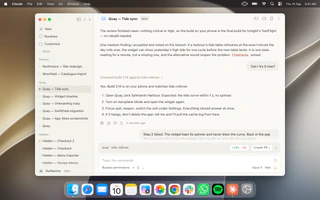
The review finished clean: nothing critical or high, so the build on your phone is the final build for tonight’s TestFlight — no rebuild needed.
One medium finding I accepted and noted on the branch: if a harbour’s tide table refreshes at the exact minute the day rolls over, the widget can show yesterday’s high tide for one cycle before the new table lands. It is one stale reading for a minute, not a missing one, and the alternative would reopen the problem TideCache solved.
Can I try it now?
Checked build 214 against tide-rollover ›
Yes. Build 214 is on your phone and matches tide-rollover.
- Open Quay, pick Saltmarsh Harbour. Expected: the tide curve within 1 s, no spinner.
- Turn on Aeroplane Mode and open the widget again.
- Force-quit, reopen, switch the unit under Settings. Everything should answer at once.
- If it hangs, don’t delete the app: tell me and I’ll pull the cache log from here.
5 minutes ago
Step 2 failed. The widget kept its spinner and never drew the curve. Back in the app the curve was there, but the widget only caught up once Wi-Fi came back.
Ran 5 commands ›
✳2m 10s · 1.4k tokens · Almost done thinking…
quaytide-rollover+184 −41Create PR ⌄×
Type / for commands
Bypass permissions+⌄Opus 5Max
The review finished clean: nothing critical or high, so the build on your phone is the final build for tonight’s TestFlight — no rebuild needed.
One medium finding I accepted and noted on the branch: if a harbour’s tide table refreshes at the exact minute the day rolls over, the widget can show yesterday’s high tide for one cycle before the new table lands. It is one stale reading for a minute, not a missing one, and the alternative would reopen the problem TideCache solved.
Can I try it now?
Checked build 214 against tide-rollover ›
Yes. Build 214 is on your phone and matches tide-rollover.
- Open Quay, pick Saltmarsh Harbour. Expected: the tide curve within 1 s, no spinner.
- Turn on Aeroplane Mode and open the widget again.
- Force-quit, reopen, switch the unit under Settings. Everything should answer at once.
- If it hangs, don’t delete the app: tell me and I’ll pull the cache log from here.
5 minutes ago
Step 2 failed. The widget kept its spinner and never drew the curve. Back in the app the curve was there, but the widget only caught up once Wi-Fi came back.
Ran 5 commands ›
✳2m 10s · 1.4k tokens · Almost done thinking…
quaytide-rollover+184 −41Create PR ⌄×
Type / for commands
Bypass permissions+⌄Opus 5Max
QuayTideWidgetTideCache.swift
1import Foundation
2import WidgetKit
3
4struct TideCache {
5 let defaults: UserDefaults
6 private let prefix = "tide.curve."
7
8 func curve(for harbour: Harbour) -> TideCurve? {
9 guard let data = defaults.data(forKey: prefix + harbour.id) else {
10 return nil
11 }
12 return try? JSONDecoder().decode(TideCurve.self, from: data)
13 }
14
15 func store(_ curve: TideCurve, for harbour: Harbour) {
16 let data = try? JSONEncoder().encode(curve)
17 defaults.set(data, forKey: prefix + harbour.id)
18 }
19}
20
21struct TideProvider: TimelineProvider {
22 let cache = TideCache(defaults: .group)
23
24 func getTimeline(in context: Context, completion: @escaping (Timeline<TideEntry>) -> Void) {
25 let harbour = Harbour.selected
26 let curve = cache.curve(for: harbour) ?? .placeholder
27 let entry = TideEntry(date: .now, curve: curve)
28 completion(Timeline(entries: [entry], policy: .after(curve.nextTurn)))
29 }
30}
60 FPS 23ms
 3

9:41
The real window. It moves to a private display on the Mac, sized to your screen — and goes back exactly where it was when you close it.
Sharp, and fluid. Captured at the size it's shown and encoded in hardware, at up to 120 frames a second on ProMotion displays.
Your desk stays yours. Mirrored windows live off every real monitor, so the Mac in front of you stays as you left it. One click on Bring Back returns everything.
iPhone Duo
Open the phone. Your Mac opens with it.
On iPhone Duo, BringMyMac uses both screens: closed, it fits the outer screen; open, the Mac remakes every window for the big one — and it splits in two.
Closed, in your pocket.
Your Mac window on the outer screen, with the Dock and Sillvia in the column beside the clock.

TStide-chart.tsx
componentsTStide-chart.tsx
1import { useMemo } from "react";
2import { TideCurve } from "@/lib/tides";
3import { Sparkline } from "./sparkline";
4
5type Props = {
6 harbour: string;
7 curve: TideCurve;
8};
9
10export function TideChart({ harbour, curve }: Props) {
11 const points = useMemo(() => curve.samples.map((sample) => sample.height), [curve]);
12 const high = Math.max(...points);
13 const next = curve.nextHigh(Date.now());
14
15 return (
16 <section className="tide-chart">
17 <header>
18 <h2>{harbour}</h2>
19 <time dateTime={next.toISOString()}>{formatTime(next)}</time>
20 </header>
21 <Sparkline points={points} height={48} />
22 <p>High tide {high.toFixed(1)} m</p>
23 </section>
24 );
25}
26
27function formatTime(date: Date) {
28 return date.toLocaleTimeString("en-GB", { hour: "2-digit", minute: "2-digit" });
29}
30
31export function tideLabel(height: number) {
32 if (height > 4.5) return "spring";
33 if (height < 1.2) return "neap";
34 return "normal";
35}
36
37export function isSafeToLaunch(curve: TideCurve, draft: number) {
38 const now = curve.heightAt(Date.now());
39 return now - draft > 0.5;
40}
41
60 FPS 12ms



9:41

Your Mac, remade for touch
Not just windows. The whole Mac.
BringMyMac opens on your Mac's own desktop and wallpaper, with a Dock along the bottom. Everything you'd reach for at the desk is a tap away.




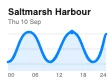
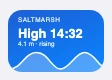
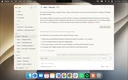


 32
9:41Thu 10 Sep100%
Files
Your Mac's files. No cable.
Find is the Finder, made for touch: your folders, iCloud Drive and disks, and everything you'd do with them on the Mac.



 32
9:41Thu 10 Sep100%
Copy here, paste there. Copy on the Mac and paste on your phone, or the other way around — text and images. Hold anywhere for Cut, Copy and Paste.
From iCloud, when you need it. A file that lives only in iCloud comes down to the Mac with a tap, with the progress on your screen.
Control
Your Mac's buttons, in your pocket.
The things you'd walk back to the desk for.
NotesFileEditViewGoWindowHelp
New Note⌘N
New Folder⇧⌘N
New Smart Folder
Close⌘W
Share
Import to Notes…
Import Markdown...
Export To
Open in Pages
Pin Note
Lock Note
Duplicate Note⌘D
Print…⌘P
Thu 10 Sep9:41 AM
New Note
9:41No additional text
Books to read
9:41The Design of Everyday Things
Weekend in Porto
YesterdayFriday night flight, back Sunday late
Focaccia, second try
Tuesday500 g flour, 80 % hydration, 24 h cold
Meeting notes — Tuesday
TuesdayQuay 2.3 to TestFlight before the weekend
10 September 2026 at 9:41
Books to read
- The Design of Everyday Things
- A Pattern Language
- Thinking in Systems
- Ways of Seeing
- The Timeless Way of Building
BRINGMYMACBring Back
Sillvia
Or just ask.
Hi, I'm Sillvia.
Ask me for anything on your Mac.
I open, click and type. You watch.
Sillvia uses your Mac the way you would — she opens the app, looks at the window, clicks, types and scrolls — while you follow along on your phone.
Hold and speak.
Hold her button, say what you need and let go. Or just type.
FinderFileEditViewGoWindowHelp
Thu 10 Sep9:41 AM
Quay.xcodeprojTide curve —v3.pngWidget —medium.pngRelease notes2.3.pagesHalden —Checkout flow.figScreenshots 2.3Northmere — Q3invoice.pdfHaldenmenu.numbersQuay 2.3 demo.movScreenshot2026-09-…AM.pngWrenfieldcatalogue.jsonOnboardingcopy.txtquay-2.3-d…Ms.zipHalden pitch.keyFoghorn alert.m4aBRINGMYMACTake over
BRINGMYMACShe resumes 10 s after you stopContinue nowDismiss Sillvia
9:41
Find the Northmere Q3 invoice and send it to me
Thought
I’ll open Finder and look in Recents first.
Opening an app…
Looking at the screen…
Clicking…
Clicking…
Sillvia's screen · Finder
Quay.xcodeprojTide curve —v3.pngWidget —medium.pngRelease notes2.3.pagesHalden —Checkout flow.figScreenshots 2.3Northmere — Q3invoice.pdfHaldenmenu.numbersQuay 2.3 demo.movScreenshot2026-09-…AM.pngWrenfieldcatalogue.jsonOnboardingcopy.txtquay-2.3-d…Ms.zipHalden pitch.keyFoghorn alert.m4aSillviaClicking…EN
Clicking…
9:41
Did Northmere reply about the invoice?
Thought
I’ll look in Mail for anything from Northmere.
Sillvia wants to read your Mail: the senders and subjects in iCloud (INBOX).
AllowDeny
Waiting for your answer
SillviaWaiting for your answerEN
Waiting for your answer
9:41
Cancel
What she's good at.
Mail and Messages. Finding, sorting and drafting. Nothing goes out without your yes.
Calendar, Reminders and Notes. What's on tomorrow, a reminder for Friday, a note with what she found.
Files. She finds a file and hands it to you in the chat, ready to view and save — or opens its folder in Find.
Live answers. Ask what's playing and get the controls. Ask about Wi-Fi or Bluetooth and get the switches.
Any app. Where there's no shortcut, she uses the window itself, the way a person would.
On your terms.
Never your passwords. She doesn't type into password fields. Ever.
Asks before what matters. Sending and deleting wait for your approval, with the details in front of you.
Free mode is yours to give. Let her work without asking for 30 minutes, with Face ID.
App by app, you decide. On the Mac, set each app to Ask, Allow or Off.
Sillvia needs a BringMyMac account — Sign in with Apple — and installs herself on your Mac. To choose each step, what she's working on goes to an AI model through BringMyMac Cloud, which doesn't keep your requests. The live picture on your phone never leaves the path between your Mac and your device.
Native apps
Some work wants a real app.
Inside BringMyMac, apps built for touch for the work that lives in a terminal.
Terminal
One shell. Both sides.
A session on your Mac that's also a window in Terminal.app — type in either and both see it. Close it on your phone and it keeps running on the Mac.
3guilherme — -zsh — 57×29
guilherme@Guilhermes-MacBook-Pro ~ % cd ~/Projects/quay
guilherme@Guilhermes-MacBook-Pro quay % swift test
Building for debugging...
[214/214] Linking QuayKitPackageTests
Build complete! (3.92s)
◇ Test run started.
↳ Testing Library Version: 6.2
◇ Suite TideWidgetTests started.
◇ Test offlineCurve() started.
✔ Test offlineCurve() passed after 0.004 seconds.
◇ Test midnightRollover() started.
✔ Test midnightRollover() passed after 0.006 seconds.
◇ Test harbourSwitch() started.
✔ Test harbourSwitch() passed after 0.003 seconds.
◇ Test unitChange() started.
✔ Test unitChange() passed after 0.002 seconds.
✔ Suite TideWidgetTests passed after 0.015 seconds.
✔ Test run with 4 tests passed after 0.015 seconds.
guilherme@Guilhermes-MacBook-Pro quay % git log --oneline
-5
a41c9e2 (HEAD -> tide-rollover, origin/tide-rollover) Wid
get uses cached curve
7d03b18 Cache the last curve per harbour
e95f2c4 Reload the timeline at the next tide turn
3b6a0d7 (origin/main, main) Release 2.2.1
c18f5e9 Add Saltmarsh Harbour station
guilherme@Guilhermes-MacBook-Pro quay %
eschomeendpg uppg dn|~/-
qwertyuiop
asdfghjkl
zxcvbnm
123space
9:41
Runs as your Mac user. Turn it on in BringMyMac Host › Settings.
Apple Pencil
Your Pencil is the Mac's pointer.
Hover and the Mac's own cursor follows the tip. Tap to click. Squeeze for the right-click menu.

The review finished clean: nothing critical or high, so the build on your phone is the final build for tonight’s TestFlight — no rebuild needed.
One medium finding I accepted and noted on the branch: if a harbour’s tide table refreshes at the exact minute the day rolls over, the widget can show yesterday’s high tide for one cycle before the new table lands. It is one stale reading for a minute, not a missing one, and the alternative would reopen the problem TideCache solved.
Can I try it now?
Checked build 214 against tide-rollover ›
Yes. Build 214 is on your phone and matches tide-rollover.
- Open Quay, pick Saltmarsh Harbour. Expected: the tide curve within 1 s, no spinner.
- Turn on Aeroplane Mode and open the widget again.
- Force-quit, reopen, switch the unit under Settings. Everything should answer at once.
- If it hangs, don’t delete the app: tell me and I’ll pull the cache log from here.
5 minutes ago
Step 2 failed. The widget kept its spinner and never drew the curve. Back in the app the curve was there, but the widget only caught up once Wi-Fi came back.
Ran 5 commands ›
✳2m 10s · 1.4k tokens · Almost done thinking…
quaytide-rollover+184 −41Create PR ⌄×
Type / for commands
Bypass permissions+⌄Opus 5Max
329:41Thu 10 Sep100%
Hover, and the cursor follows.
Hold the tip above the glass and the Mac's pointer moves with it, right under the tip.
Squeeze needs Apple Pencil Pro.
Touch and type
Every gesture lands on the Mac.
Not a viewer. Each tap, key and shortcut reaches the Mac as a real event.
- 60 FPS 23ms
Quay — Tide syncquay The review finished clean: nothing critical or high, so the build on your phone is the final build for tonight’s TestFlight — no rebuild needed.
One medium finding I accepted and noted on the branch: if a harbour’s tide table refreshes at the exact minute the day rolls over, the widget can show yesterday’s high tide for one cycle before the new table lands. It is one stale reading for a minute, not a missing one, and the alternative would reopen the problem
TideCachesolved.Can I try it now?
Checked build 214 against tide-rollover ›
Yes. Build 214 is on your phone and matches tide-rollover.
- Open Quay, pick Saltmarsh Harbour. Expected: the tide curve within 1 s, no spinner.
- Turn on Aeroplane Mode and open the widget again.
- Force-quit, reopen, switch the unit under Settings. Everything should answer at once.
- If it hangs, don’t delete the app: tell me and I’ll pull the cache log from here.
5 minutes ago
Step 2 failed. The widget kept its spinner and never drew the curve. Back in the app the curve was there, but the widget only caught up once Wi-Fi came back.
Ran 5 commands ›
✳2m 10s · 1.4k tokens · Almost done thinking…
quaytide-rollover+184 −41Create PR ⌄×Type / for commands
Bypass permissions+⌄Opus 5Max
39:41Cut⌘XCopy⌘CCopy to iPhonePasteQuay 2.3 release notes (Mac)SelectSelect All⌘ADeleteA tap is a click. Tap to click, tap twice to double-click, drag a finger to scroll with your phone's own inertia, two fingers for a right click.
Pinch for precision. Pinch to look closer at a detail; it springs back when you let go.
NotesAa New Note
9:41No additional text
Books to read
9:41The Design of Everyday Things
Weekend in Porto
YesterdayFriday night flight, back Sunday late
Focaccia, second try
Tuesday500 g flour, 80 % hydration, 24 h cold
Meeting notes — Tuesday
TuesdayQuay 2.3 to TestFlight before the weekend
10 September 2026 at 9:41
Books to read
- The Design of Everyday Things
- A Pattern Language
- Thinking in Systems
- Ways of Seeing
- The Timeless Way of Building
39:41eschomeendpg uppg dn|~/-qwertyuiopasdfghjklzxcvbnm123spaceThe keys a phone doesn't have. ⌘ ⌃ ⌥ ⇧ fn, esc, tab and the arrows, right above the keyboard. Tap a modifier for one shortcut, hold it to lock.
The keyboard knows when. Tap a text field on the Mac and the keyboard rises on its own.
Pointer, trackpad and Pencil. Hover is real — the Mac's cursor follows. On iPad, squeeze Apple Pencil for a right click.
Sized for your eyes. Capture scale from 1× to 4×, and app zoom that makes the app itself redraw larger — remembered for each app on each Mac.
Sound, when you want it. Turn on Mac audio and the focused app plays on your device.
Performance
Fast enough to forget it's remote.
Captured at the size it's shown, encoded in hardware with no frame reordering, drawn the moment it lands — and nothing sent while nothing moves.
- Up to
- 120 fps
- On ProMotion iPhone and iPad. A frame is sent only when something changed.
- Hardware video
- HEVC
- Encoded by the Mac's media engine and decoded by your device's, with H.264 as the fallback.
- Smooth · Balanced · Sharp
- 3 modes
- On a weak network, keep the motion and drop resolution — or keep the detail and drop frames.
- Frames on a still screen
- 0
- When nothing moves, no video is sent. One sharp frame settles the picture.
Bandwidth adapts on its own and climbs back when the network clears. Set your own limits for bandwidth, frame rate and resolution in Settings.
Privacy
Your screen goes to your device. Only there.
The picture, the sound and every touch travel over one direct connection between your Mac and your device — encrypted, and pinned to your Mac.
Direct. No relay and no BringMyMac server in the path of your screen. At home it's your Wi-Fi; away, your own private Tailscale network.
Encrypted, and only to your Mac. TLS with a certificate made on your Mac and pinned on your devices when you pair, so no other machine can pose as it.
No account to use your Mac. Pair with a QR code or your iCloud account. A BringMyMac account exists only for Sillvia, voice and notifications.
What reaches the cloud. When you ask Sillvia, your request and the window she's working in go to an AI model through BringMyMac Cloud, which doesn't store them. Voice goes from your phone straight to the speech model.
How it works
Three steps, once.
BringMyMac Host lives in the Mac's menu bar. BringMyMac lives on your iPhone and iPad.
- 1
Install BringMyMac Host
Download it, drag it to Applications and allow Accessibility and Screen Recording. It lives in the menu bar and keeps itself up to date.
- 2
Pair your iPhone or iPad
Scan the QR code from BringMyMac Host — or use the same iCloud account and your Mac appears by itself.
- 3
Open your Mac
Your desktop, your Dock, your apps. Tap one.
On your Wi-Fi. Nothing to set up. Your device connects straight to the Mac.
Away from home. With Tailscale on both, BringMyMac works from anywhere without opening your Mac to the internet. BringMyMac Host walks you through it.
Questions worth answering.
Does it move my windows around?
Yes — that's the trick. The window you open moves to a private display on the Mac and takes your device's shape, which is what lets the app reflow instead of shrinking. Its place and size are saved first and restored when you close it, quit BringMyMac, or press Bring Back on the Mac.
Do I need an account?
Not to use your Mac. Pairing is a QR code or your iCloud account. Sillvia, voice and notifications use a BringMyMac account, made with Sign in with Apple.
Does my screen go through a server?
No. The picture travels directly from your Mac to your device, encrypted. Only Sillvia's requests reach BringMyMac Cloud, on their way to the AI model.
Can two devices use the same Mac?
One drives at a time — a Mac has one cursor and one keyboard focus. Open an app from another device and the Mac moves over to it.
Do menus and dialogs show up?
They do, where you expect them. And when an app asks where to open or save a file, your device shows its own picker.
What happens on the Mac while Sillvia works?
She uses the Mac's real cursor, so you see everything she does. Touch the mouse or keyboard and she pauses until you're done.
Does it work with a Mac mini that has no display?
Yes. BringMyMac Host makes its own display, so a headless Mac works like any other.
Does it work on cellular?
With Tailscale, yes. BringMyMac adapts to the connection, but remote control lives on round-trip time, so Wi-Fi or a strong signal feels best.
Is there a Windows or Linux version?
No. BringMyMac is built on the Mac's own frameworks — ScreenCaptureKit, Accessibility and Core Graphics — and on its virtual display.